Balsamiq Logo
Balsamiq Logo
Product
Features Balsamiq AI
Changelog
Use Cases
Customer stories
Pricing
Resources
Help Center Blog Balsamiq Academy Good Product Club
Log in Try it free
Try it free
  • Product
    • Features
    • Balsamiq AI
    • Changelog
  • Use Cases
    • Customer stories
  • Pricing
  • Resources
    • Help Center
    • Blog
    • Balsamiq Academy
    • Good Product Club
Log in Try it free
Adding and arranging UI elements
Help Center Product docs & FAQs Plans & Billing FAQs
Documentation
  • Getting started
  • Account Management
  • Creating and editing
    • Editor overview
    • Wireframing with Balsamiq AI
    • Prototyping with Balsamiq AI
    • Working with UI elements
      • Adding UI elements
      • Selecting UI elements
      • Moving UI elements
      • Snapping and smart guides
      • Resizing UI elements
      • Aligning UI elements
      • Layering UI elements
      • Locking UI elements
      • Deleting UI elements
      • Rotating UI elements
      • Grouping UI elements
      • Cropping groups and images
      • Drawing basic UI elements
    • Editing UI elements
    • Using images and icons
    • Linking boards together
    • Managing different versions with alternates
    • Reusing wireframe elements with components
    • Keeping projects clean and organized
    • Keyboard shortcuts
  • Sharing and collaborating
  • Integrations

Adding UI elements

To add UI elements to your board, open the UI elements panel in the left bar and click or drag it onto the board. You can also type a keyword into the search field.
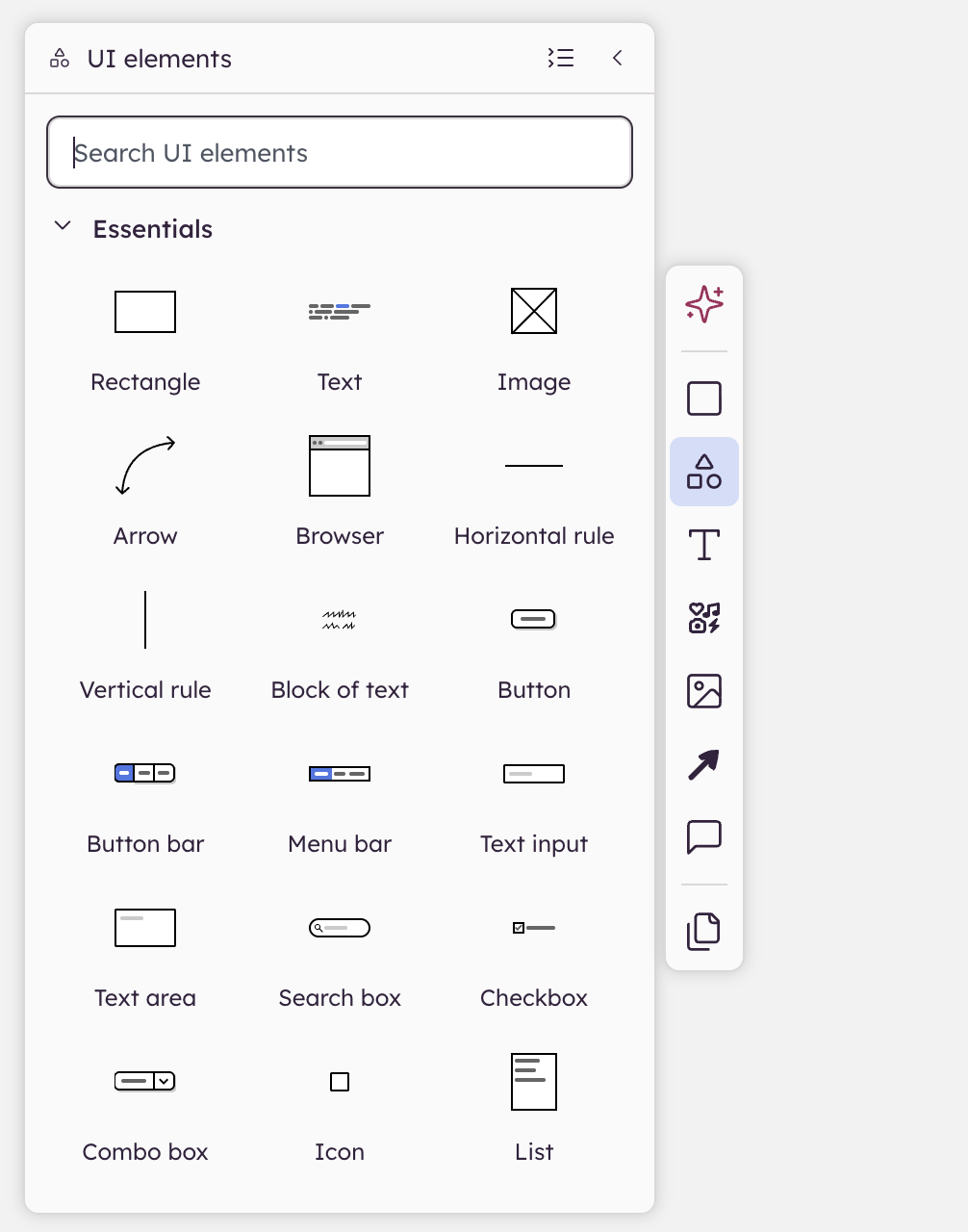
UI elements panel in Balsamiq showing “Essentials” elements like buttons, checkboxes, and comment notes for wireframe creation.

You can also duplicate UI elements already on the board using copy and paste or the duplicate command (CTRL/⌘+D). ALT/OPTION+ drag will also duplicate UI elements and allow you to place them using your mouse.

Note: Full list of keyboard shortcuts here.


Balsamiq Logo
  • Features
  • Balsamiq AI
  • Pricing
  • Changelog
  • Balsamiq for Desktop
  • Balsamiq for Confluence
  • Balsamiq for Jira
  • Balsamiq vs other tools
  • Balsamiq Blog
  • Help Center
  • Changelog
  • Customer stories
  • Good Product Club
  • Balsamiq Academy
  • Server status
  • Research program
  • Slack community
  • Balsamiq for nonprofits
  • About us
  • Careers
  • Brand assets
  • Legal
GDPR Logo GDPR COMPLIANT SOC2 Logo SOC2 COMPLIANT

© 2008- Balsamiq · Privacy · Terms · Cookie Preferences