How to organize wireframes by using a hierarchy

<1 min. read

As your project gets bigger, organizing your wireframes will be key!

Just like in Powerpoint or Keynote, you can create a parent/child relationship between them by selecting the wireframe you wish to be the child and pressing the TAB key.

The child wireframe will be placed in a tree hierarchy below the wireframe above it. You can restore it to the top level by pressing SHIFT+TAB.
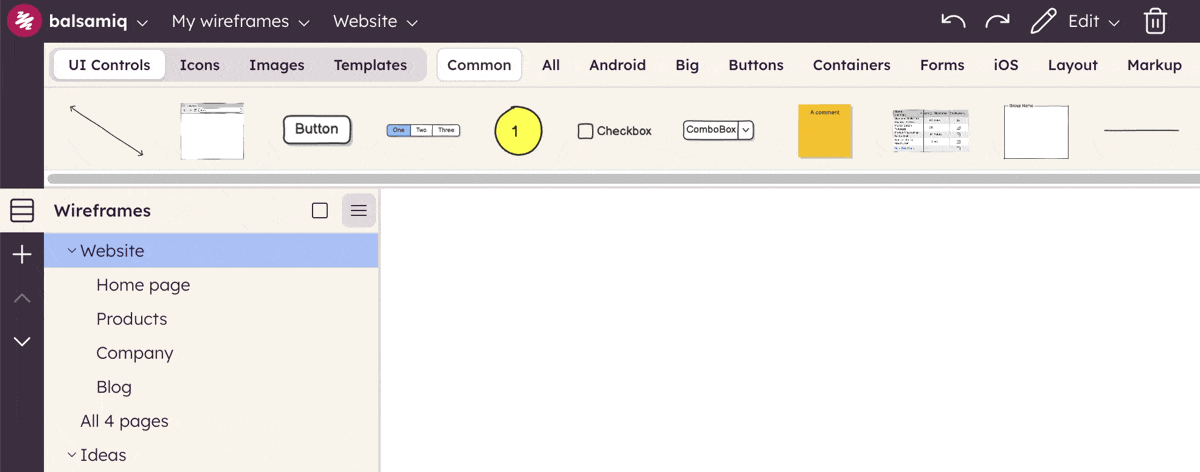
gif

Author

Virgin Pereira
Virgin Pereira

Customer Success @ Balsamiq

Questions or feedback? Email virgin@balsamiq.com.

Related articles


How to add a background color to any UI element

A trick to add backgrounds to any UI element in Balsamiq.

How to add a blank row to a combobox or menu element

A neat trick to add a blank row to two common Balsamiq UI elements.

How to keep form labels aligned

A neat trick to keep labels in Balsamiq wireframes aligned even after editing them.


Other topics you might be interested in