Wireframing with Balsamiq AI (Beta)
On this page
Balsamiq AI (Beta) is a conversational wireframing assistant that helps you turn early product ideas into wireframes and user flows—fast.
It supports multiple input types (text, code, screenshots), generates editable wireframes or reference visuals, and allows you to generate full user flows before converting them to wireframes.
You can also use it to edit existing wireframes by selecting elements on the board and prompting the AI to make changes.
To get started, click the ✨ Balsamiq AI button to access the AI assistant.

From here, you can:
- Generate a user flow with multiple wireframes
- Generate a single wireframe from text
- Convert a screenshot or sketch
- Generate an image
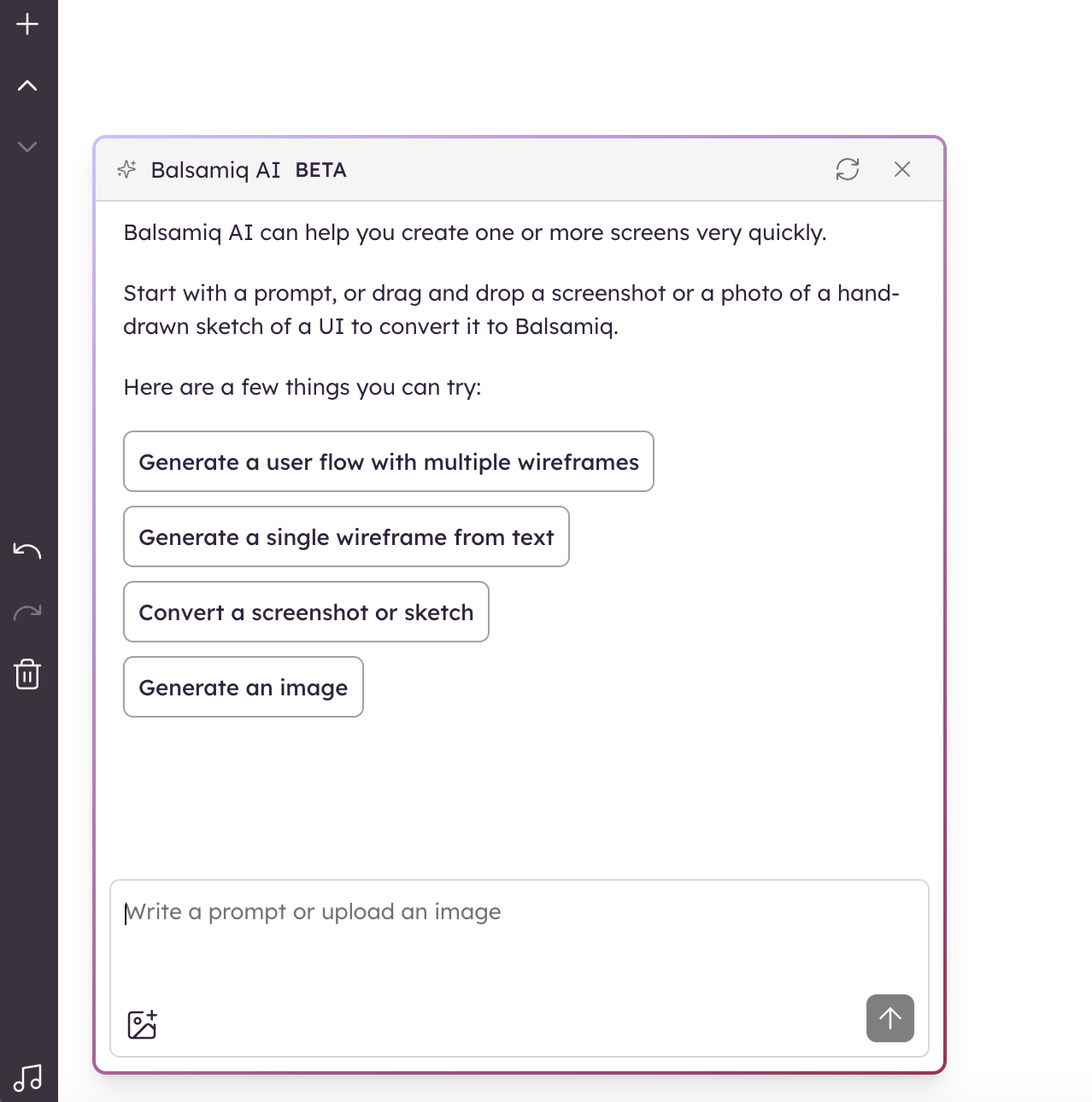
You can type a prompt, paste code, or upload a file directly into the chat. Balsamiq AI (Beta) will respond in your language.
Generate a user flow with wireframes
Use this feature to create a structured user journey (e.g. onboarding flow, shopping cart, sign-up process, etc...) and have Balsamiq AI (Beta) generate wireframes for each step in that flow.
How it works
- Click the ✨ Balsamiq AI button.
- Select Generate a user flow with multiple wireframes.
- Enter a short prompt, such as:
- "Help me plan a project of a user onboarding flow with welcome screen, profile setup, and confirmation"
- The AI will display a user flow diagram.
- Refine it and/or generate wireframes for each step.
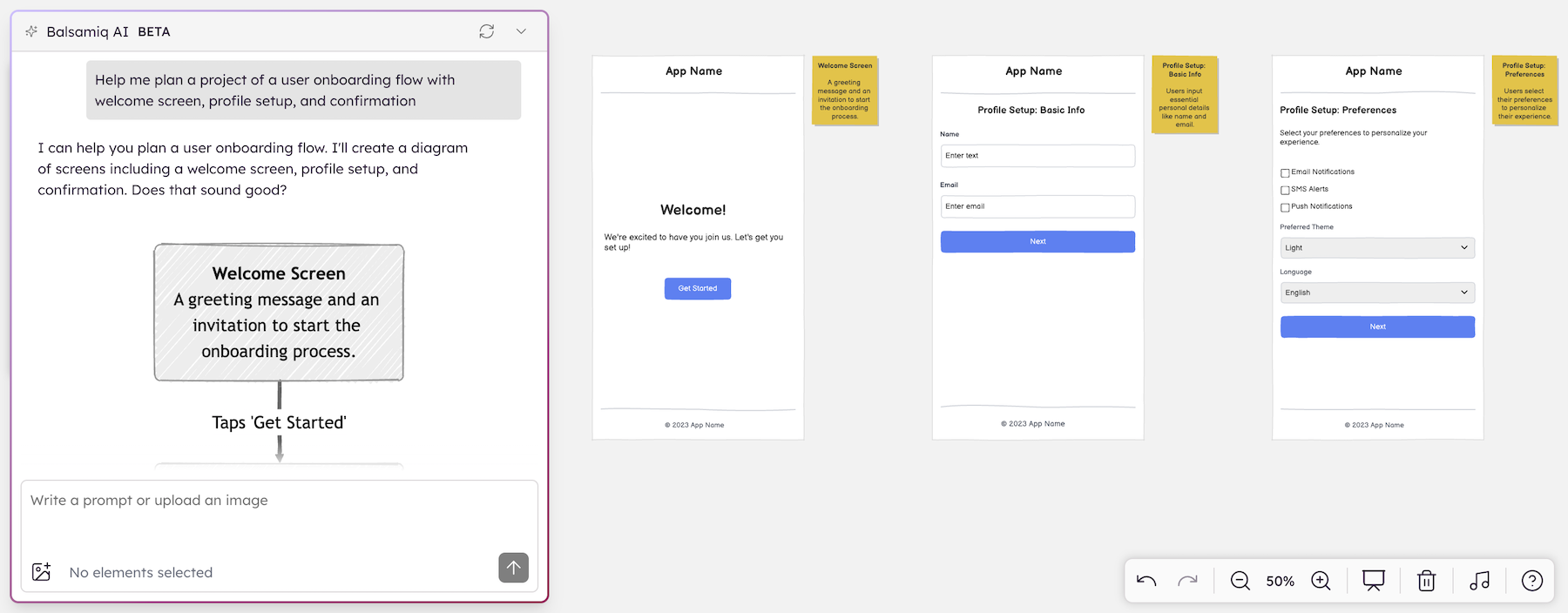
Note: You can edit each wireframe after generation, just like any other Balsamiq project.
Generate a single wireframe from text
This feature helps you generate a wireframe layout from a simple, natural-language prompt. It’s useful when you want to quickly visualize an idea without starting from a blank canvas.
How it works
- Click the ✨ Balsamiq AI button.
- Select Generate a single wireframe from text.
- Enter a description like:
- "Create a screen for a settings page with toggles for notifications and privacy"
- "Create a screen for a blog post editor with a title, body, and save button"
- Press ENTER to generate your editable wireframe.
The AI will return an editable wireframe made up of Balsamiq UI elements. You can modify or extend it as needed.
Edit existing wireframes with AI
You can also edit your existing wireframes using a simple prompt. This feature allows you to make quick changes without rebuilding from scratch, perfect for iterating on ideas or applying feedback.
How it works
- Select one or more elements directly on the board.
- Click the ✨ Balsamiq AI button.
- Type what you want to change. For example:
- "Change the active toggle color to green"
- "Make the title larger and center it"
- "Left align these UI elements"
- Press ENTER to apply your change(s).
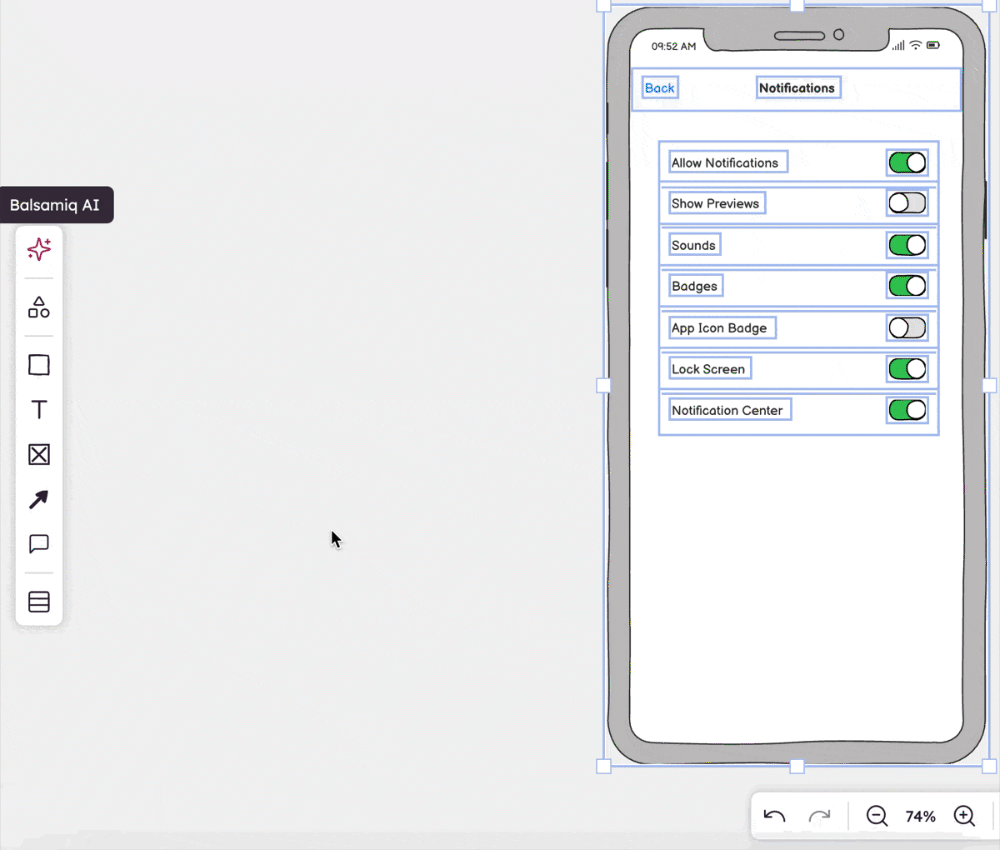
This is ideal when:
- You need to revise copy or structure in a specific section.
- You want to quickly explore design alternatives.
- You’re iterating on feedback and don’t want to start over.
Tip: You can also use this feature to iterate faster during team reviews or planning meetings. Just select, prompt, and update.
Convert a screenshot or sketch
You can convert a screenshot of an existing UI or a photo of a hand-drawn sketch into an editable wireframe. It’s a fast, functional way to skip the blank canvas and move your idea forward.
How it works
- Click the ✨ Balsamiq AI button.
- Select Convert a screenshot or sketch.
- Drop a file in the Balsamiq AI dialog (or use "Choose file").
The AI will extract and build a wireframe using Balsamiq UI elements.
You can also drag and drop a screenshot directly into the board and click the ✨ icon.
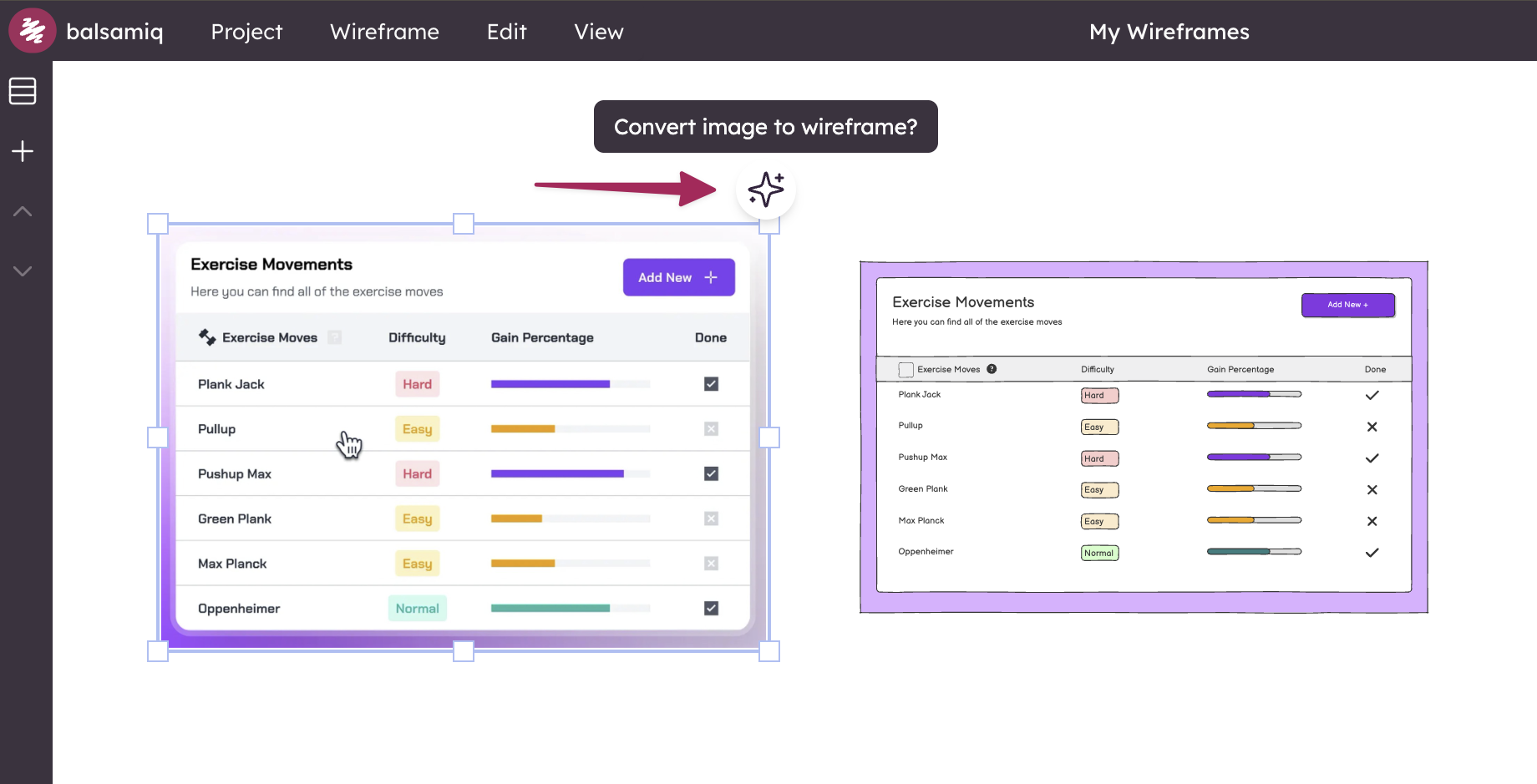
This feature is useful when:
- You want to digitize a hand-drawn sketch.
- You’re working from a screenshot of an existing interface.
- You need a starting point for iterating on a visual.
Generate an image from text
This feature helps you generate static image assets (non-editable) based on a short text description. These images are intended to complement your wireframes, not replicate them.
Use it when you want to add visual context—like a photo, icon, or illustration—into your wireframing project.
How it works
- Click the ✨ Balsamiq AI button.
- Select Generate an image.
- Enter a short prompt, such as:
- "a coffee mug illustration for a café homepage"
- "an airplane icon for a travel booking app"
- "a team photo for an about page"
- "a delivery truck image for an e-commerce site"
Balsamiq AI (Beta) will generate a static visual you can add to your canvas for inspiration or presentation.
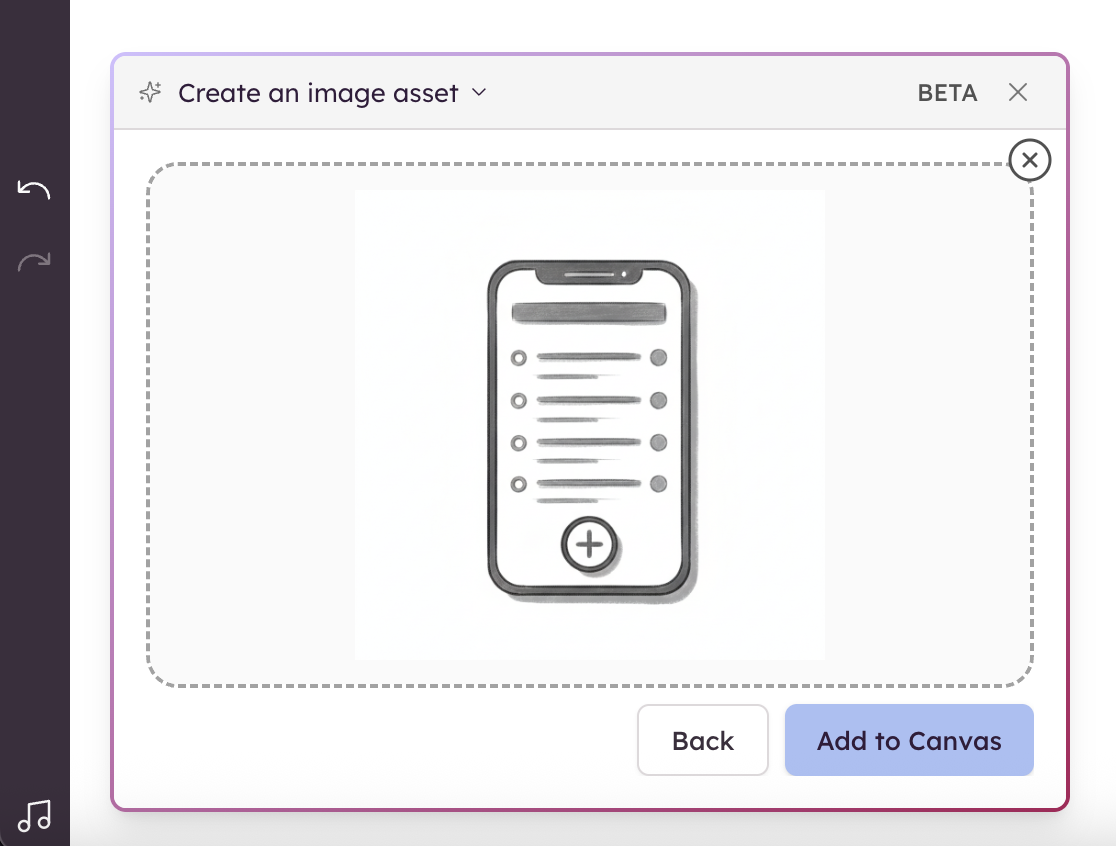
Note: These are not editable wireframes. They are static images intended to enhance your wireframes with supporting visuals.
This feature is useful when:
- You want to include relevant imagery alongside your wireframe (e.g. a logo, product photo).
- You need a visual placeholder while presenting early concepts.
- You're exploring UI ideas that benefit from illustrative assets.
Create Wireframes from Code
Balsamiq AI can also convert front-end code into low-fidelity wireframes. Paste your HTML, JavaScript, or React code to generate a rough wireframe layout.
How it works
- Click the ✨ Balsamiq AI button.
- Paste your front-end code into the prompt area.
- AI will generate a wireframe layout based on the structure and content of your code.
Great for:
- Visualizing dev-built components
- Reverse engineering an interface
- Quickly mocking up coded prototypes
Multi-language Support
Balsamiq AI (Beta) accepts prompts in multiple languages and will reply in the same language. You can wireframe in English, Italian, Spanish and more.
About Balsamiq AI (Beta)
All AI-generated outputs are editable (except for static images), so you can customize the layout to fit your needs. These tools are optional and designed to support early-stage exploration—not replace manual wireframing.
Note: Customer data is not used to train any AI models. Because these features require access to the open web, they are not available in our Desktop or Atlassian Server/Data Center apps.
Got feedback? These features are still evolving. We’d love to hear your thoughts—reach out to support@balsamiq.com.